
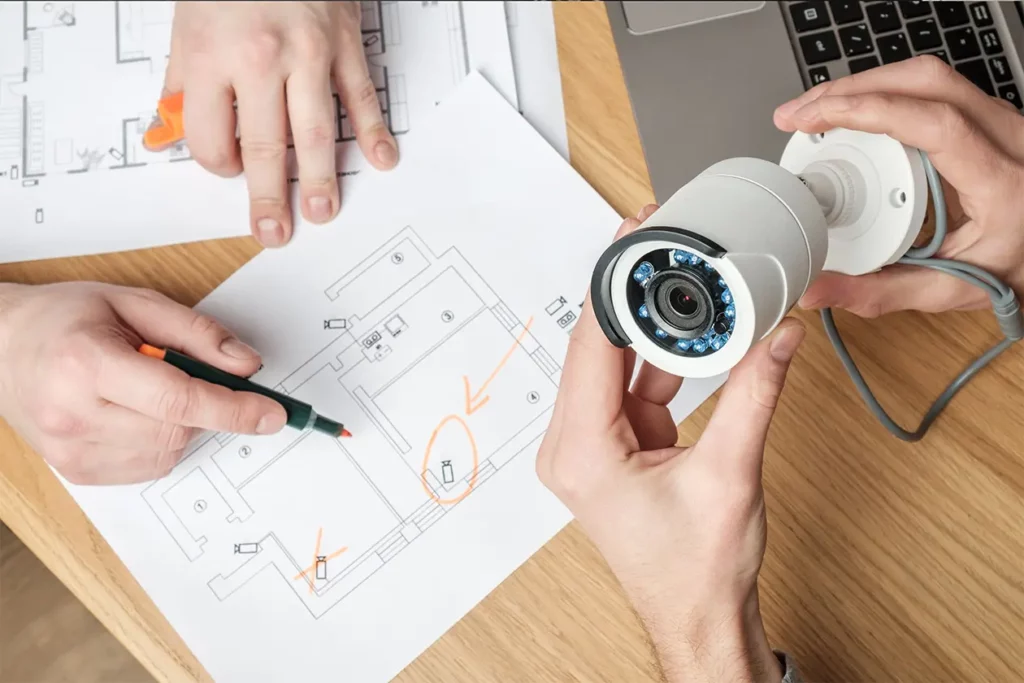
Surveillance camera coverage is how much of a property its cameras can see clearly enough to act on, day and night. Good coverage starts at the entry points (main doors, side and rear doors, loading docks, vehicle gates and ground-floor windows). It gives each camera the level of detail its spot needs, from detecting a person to identifying them, and closes blind spots by overlapping views and checking them after dark. Coverage prevents losses only when someone acts on it, which is why live monitoring pairs cameras with trained operators.
Key Takeaways
- Entry points should be monitored by security cameras: anyone who gets inside passes through one, so they are the first areas to cover.
- On a commercial site, entry points include side and employee doors, loading docks, vehicle gates and ground-floor windows, not only the front door.
- The IEC 62676-4 video surveillance standard sets four detail levels, from detection at 25 pixels per meter to identification at 250. Doors and gates need identification-level views.
- Blind spots hide under cameras, at building corners, in backlit doorways and behind foliage or stacked goods. Walk the site in daylight and after dark to find them.
- Footage reviewed the next morning explains a loss. Operators watching live can warn an intruder and call police while it’s happening.
What Good Camera Coverage Means on a Commercial Property
Surveillance camera coverage is the part of a property that cameras can see clearly enough to act on, at the hours that matter. A camera pointed at a door doesn’t cover it if the image is too dark at 2 a.m. or too small to show a face. Good coverage means every way in is watched, neighboring views overlap so nothing falls between them, and each camera captures the detail its spot needs.
For a facility manager, the test is practical. If someone forced the back door tonight, would the footage show who it was, and would anyone see it while it happened? The sections below cover which areas to watch first, how much detail each camera needs and how to find the gaps.
When you want trained operators on those cameras in real time, live video monitoring adds the people. Contact for inquiry and we’ll walk through your property with you.
Should Entry Points Be Monitored by Security Cameras?
True: entry points should be monitored by security cameras, and they are the first place to put them. Anyone who gets into a building, a yard or a lot has to pass through one, so a camera there is the most likely to see them. Clemson University’s campus camera standards put “entrances to buildings” first in their list of areas that must have coverage.
On a commercial site, entry points go well beyond the front door:
- Main entrances and lobbies, where staff, visitors and deliveries come in. In office buildings, that includes the after-hours door people badge through when the lobby desk is empty.
- Side, rear and employee doors, which see less traffic and get less attention.
- Loading docks and roll-up doors. At warehouses and self-storage facilities, these are often the widest openings on the building.
- Vehicle gates and lot entrances. On parking lots, every car and driver passes through the entry and exit lanes.
- Ground-floor windows, roof hatches and fire exits that should stay shut after hours.
Mark each one on a site plan before you think about cameras. The number of entry points, and the detail each one needs, gives a first estimate of how many cameras the property needs.
From Detection to Identification: How Much Detail Each Camera Needs
Not every camera has to show a face. The international standard for video surveillance in security applications, IEC 62676-4, sorts camera views into four levels by how many pixels land on each meter of the scene. The pixel density levels in IEC 62676-4 work like this:
| Level | Pixels per meter (per foot) | What a viewer can tell |
|---|---|---|
| Detection | 25 (8) | Someone is there |
| Observation | 63 (19) | How many people, and details such as distinctive clothing |
| Recognition | 125 (38) | Whether it’s someone they’ve seen before |
| Identification | 250 (76) | Who the person is |
Match the level to the spot. Doors, gates and loading docks need identification-level views close to where people pass, because that is where a face is most likely to be caught. A view of a long fence line or the far end of a lot only needs detection, so an operator knows where to look next.
One wide camera rarely does both jobs. A lens that takes in a whole lot spreads its pixels thin, so each face gets only a few of them. That’s why a door usually gets its own camera, even when a wide view already includes it.
How to Find Blind Spots in Your Camera Coverage
A blind spot is any place a person can stand, walk or work without a camera seeing them clearly. Blind spots are one of the security system mistakes that invite crime. To find them, walk the property with the live views open on a phone or tablet, once in daylight and once after dark. Check these places:
- Directly under each camera. A camera mounted high looks out, not down, so the wall below it is often out of view.
- Building corners and the ends of walls, where two views should overlap but often stop short.
- Doorways that face bright light. A person in front of a sunlit glass door can turn into a silhouette.
- Anything that changes with the season or the day’s work. A 2006 Justice Department–funded guide for police, Video Surveillance of Public Places, advises checking camera sight lines more than once a year. Its reason still holds: spring and summer foliage can block a view that looks clear in winter, and holiday decorations can too. Parked trailers and stacked pallets do the same thing on a working site.
- The edge of night vision. Infrared light reaches only so far, so a view that’s sharp at the door can fade to black halfway across a lot.
Some gaps should stay. Restrooms, changing rooms and other private spaces are off-limits, and recording audio has its own rules. Check your state’s rules, and read our guide to security camera compliance before you point a camera anywhere sensitive.
Coverage Only Works When Someone Acts on It
Recorded footage shows what happened after the loss. Watched footage can change what happens next. The same police guide notes that a camera system “also requires an operator to watch the monitors or review the recordings.” Most businesses only have the second option: someone scrolls back through the footage the next morning.
Live monitoring adds the first. With Monitex Security, AI flags activity on your cameras and our trained operators verify it in real time. If someone is at a loading dock or climbing a gate after hours, an operator warns them through on-site speakers and contacts police if they stay. You receive an incident report, with video playback for your team or the police.
Coverage is also where we start. Before monitoring begins, we review your entrances, perimeter, camera blind spots, lighting and operating hours, and we connect compatible existing cameras. When the site changes, such as a new entrance or new hours, your procedures change with it.
Get Your Camera Coverage Watched Live by Monitex Security
Your cameras already cover the ways in. Monitex Security’s operators can watch them live, warn intruders at the door and call police while there’s still time to act. We’ll go over your entry points, blind spots and hours with you and show where live monitoring helps most. Contact for inquiry